
You can invite users to PitchMonster and assign them to role-plays individually or in bulk. Users can be invited directly from the User Management section or through a specific role-play.
Once users accept their invitation and complete account setup, they can access the role-plays assigned to them.
Invite Users from User Management
This is the recommended method for onboarding multiple users because it supports bulk invitations, group assignment, role-play assignment, and CSV imports.
Steps
1. Navigate to User Management. Open the Users tab. Click Invite User.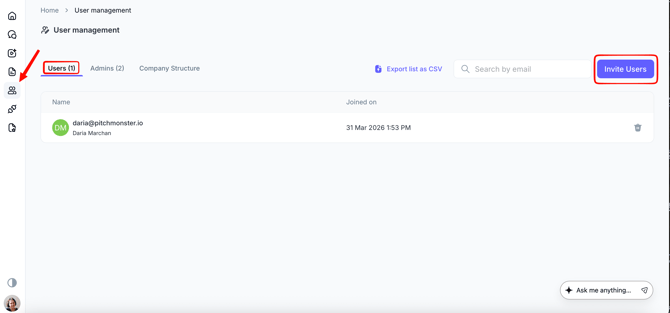
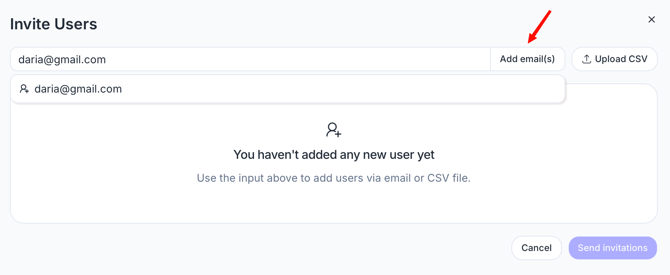
2. Add users by email. You can add users in two ways:
- Manually enter email addresses and press Enter
- Copy and paste a list of email addresses directly from a spreadsheet.
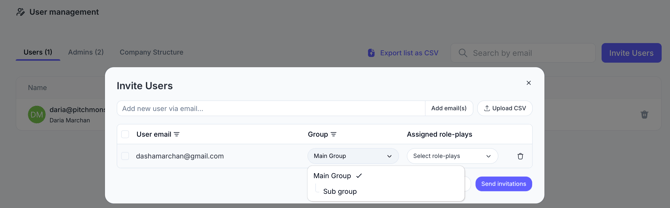
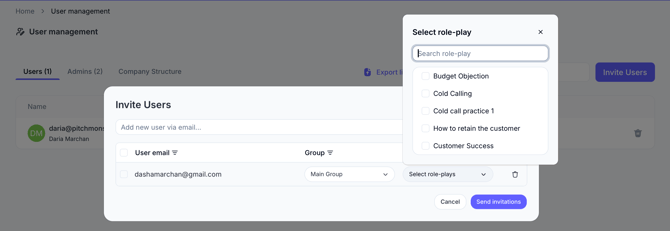
3. Configure individual user
If needed, you can customize settings for individual users before sending invitations. For each user, you can:
- Assign a different Group.
- Assign different role-plays.
- Override the global settings without affecting other users.
4. Configure global settings
Before sending invitations, you can configure settings that will apply to all users in the invitation list:
- Select a target Group (for example, UK Sales).
- Select one or more Role-Plays.
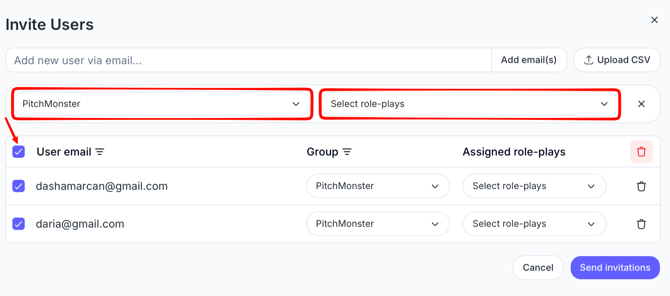
These assignments are automatically applied when users log in for the first time.
5. Send Invitations. After reviewing the assignments, click Send Invites. Users will receive an email invitation with instructions to create their account.
Bulk onboarding with CSV upload
For large-scale onboarding (for example, 50+ users), use the CSV upload option.
Steps
1. Click the Invite User button. Click Upload CSV.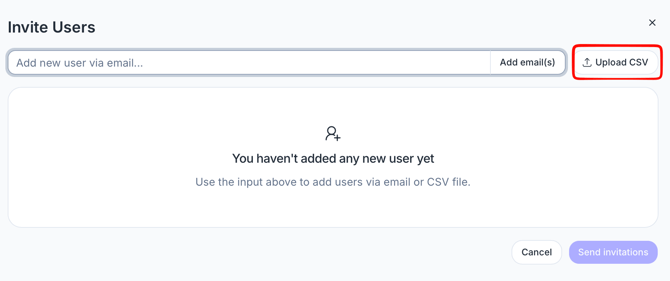
2. Download the provided CSV template. Populate the template with:
- Email addresses
- Role-Play IDs
- Group names
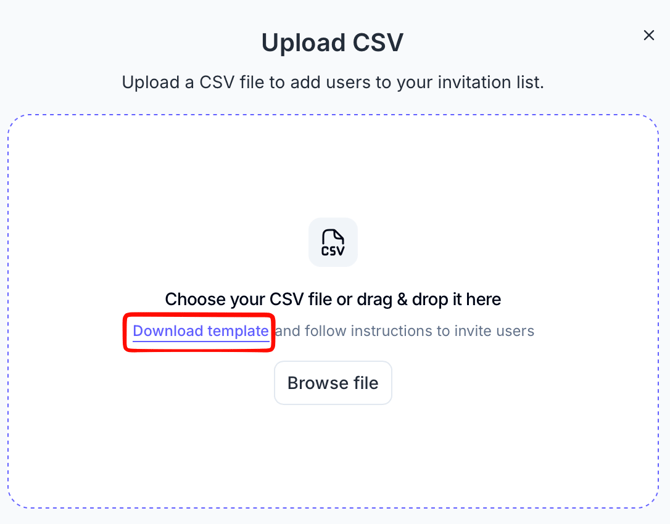
4. Review the imported users and assignments.
5. Click Send Invites.
Method 2: Invite Users from a Role-Play
This method is useful when you want to assign users directly to a specific role-play.
Invite by Email
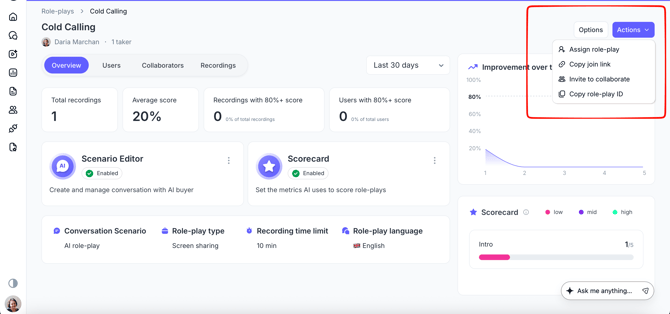
1. Click the Role-plays icon in the left-hand menu.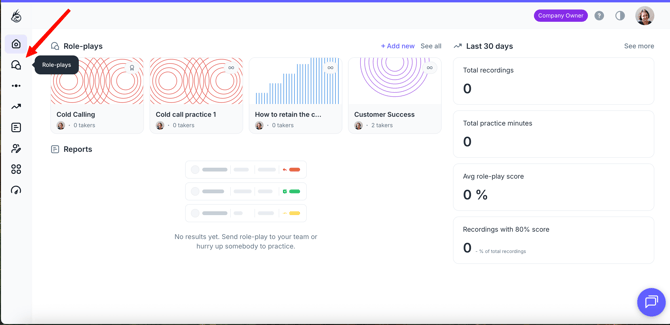
2. Select the role-play you want to assign.
3. Click Actions in the top-right corner and select Assign role-play
4. Enter the user's email address.
5. Click Send invites. The invited user will receive an email invitation and gain access to the selected role-play after completing account setup.
Invite by Link
1. Click the Role-plays icon in the left-hand menu.2. Select the role-play you want to assign.
3. Click Actions in the top-right corner and select Copy join link
4. Share the link with your users. Users who open the link can create an account and automatically gain access to the assigned role-play.
First-Time User Experience
When a user joins PitchMonster, the onboarding process typically follows these steps:
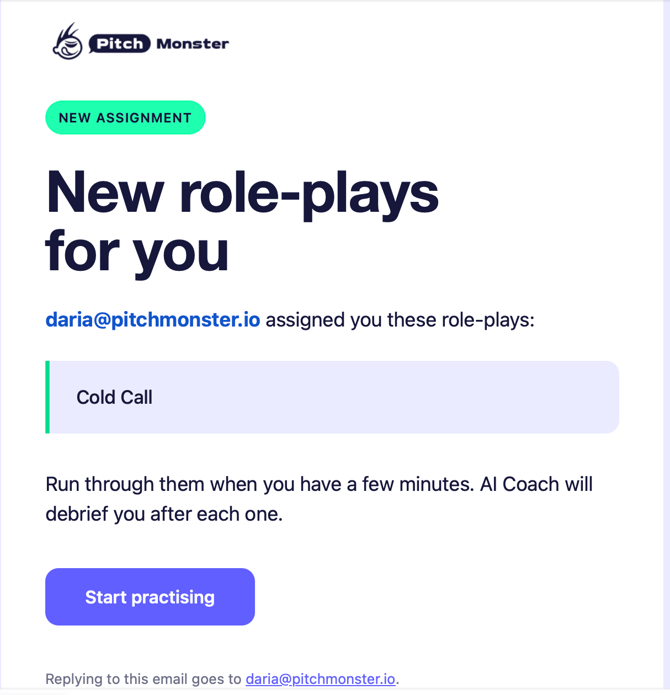
Step 1: Receive an Invitation
The user receives either:
- an email invitation, or
- a shared invite link.
Step 2: Open the Invitation
The user clicks the invitation link and is redirected to the PitchMonster Teams login page.
Step 3: Create an Account
The user:
- enters the email address associated with the invitation,
- creates a password,
- enters their first and last name.
Step 4: Access Assigned Content
After completing account setup, the user can access:
- assigned Role-Plays,
- assigned Groups,
- any training content associated with those assignments.
The user will also appear under User Management → Users.