
You can share access to a role-play with other admins so they can:
- Review recordings submitted within that role-play.
- Provide coaching and feedback to sellers.
- Appear in the reviewer dropdown when sellers submit their best effort for review (if Request Review by Admin is enabled).
Assign an Admin to a role-play
1. In the left-side navigation menu, go to Role-plays. Find the role-play you want to share and click the three-dot menu next to it.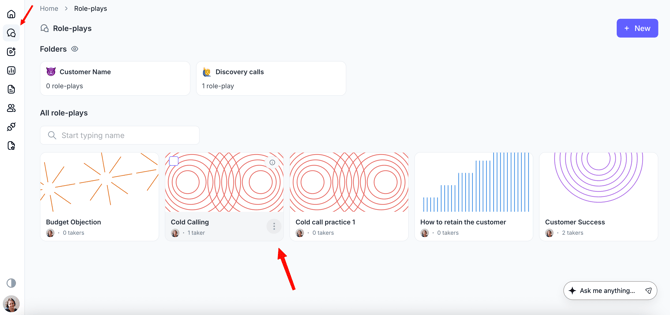
2. Select Collaborate.
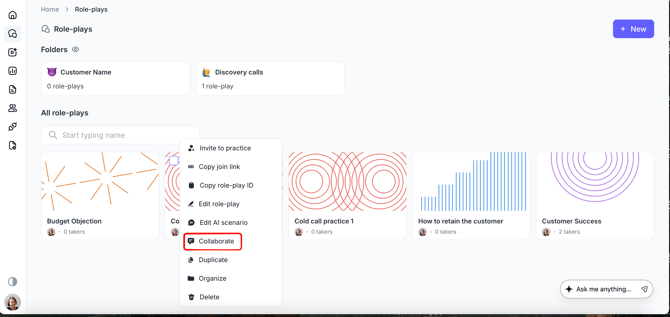
3. In the collaboration window, search for the admin by name or email address, or select them from the dropdown list.
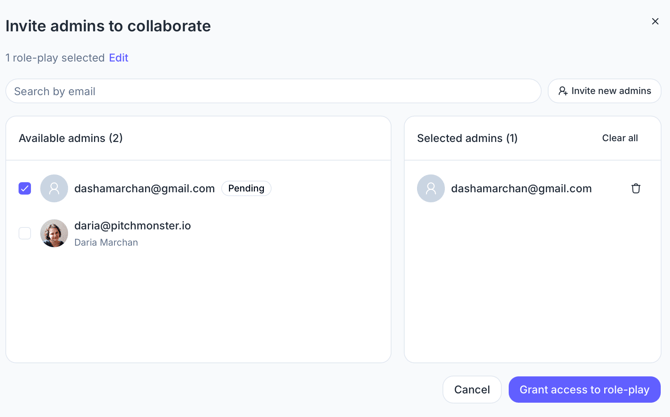
4. Click Grant access to role-play. The selected admin will immediately gain access to that role-play and will be able to review recordings, provide coaching, and act as a reviewer for submitted sessions.
5. Return to the role-play and open the Collaborators tab. The assigned admin should now appear in the list of collaborators.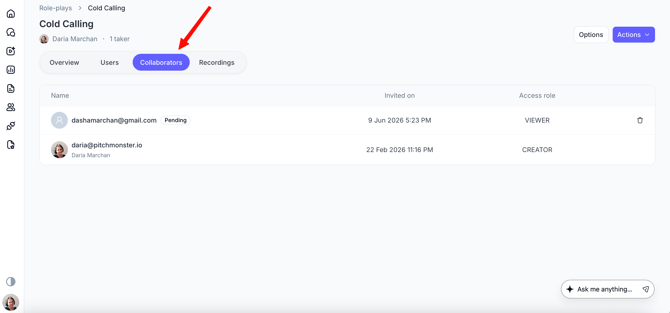
Manage multiple role-plays at once
If you need to share access to several role-plays, you can use the bulk actions available in the Role-plays list:
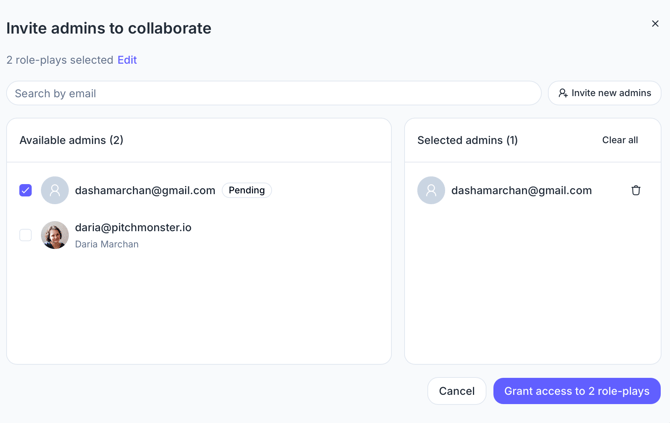
1. Select multiple role-plays using the checkboxes. Choose Invite to collaborate.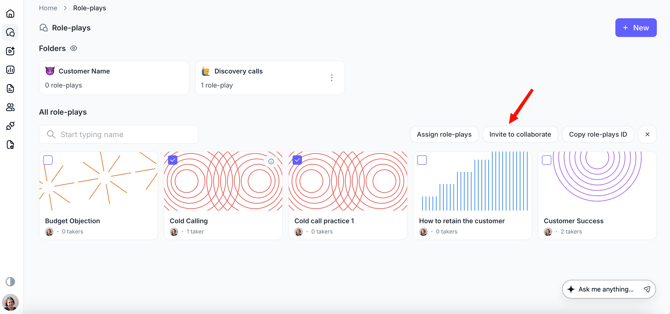
2. Select the admin(s) you want to grant access to. Save your changes. The selected admins will be added as collaborators to all chosen role-plays.
 Remove Admin Access
To remove an admin's access:
1. Open the Collaborators window for the role-play.2. Locate the admin in the collaborators list. Click the bin icon next to their name.
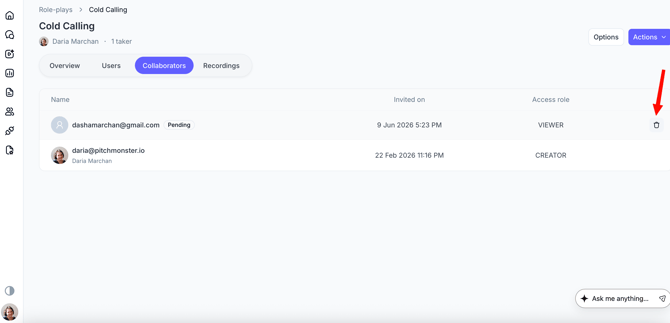
The admin will no longer be able to review recordings or provide coaching for that role-play.