
⚠️ Only admin Company Owner role can set up the connection, and they must also have the required Gong permissions to install the PitchMonster app.
1. Go to the Integrations Page
-
Log in to PitchMonster.
-
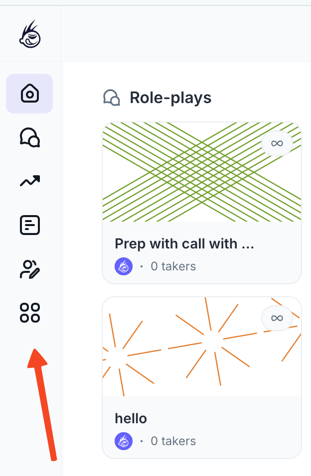
Open the Integrations section from the left-side menu.
-
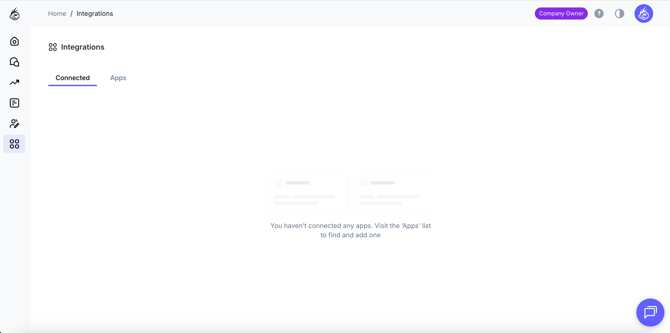
You will see two areas:
-
Connected Apps
-
Apps (all available integrations)
-
2. Select Gong
-
Find Gong in the Apps list.
-
Click Connect
3. Log in Through Gong
-
You’ll be redirected to the Gong login page.
-
Log in with your Gong credentials.
Important note: The person logging in must have permissions to install and authorize third-party applications in Gong. If a user without permissions tries to connect, Gong may block the authorization.
4. Complete the Authorization
Once Gong approves the connection:
-
You will be automatically redirected back to PitchMonster.
-
Your Gong status will now show Connected in the Integrations section.
5. Managing the Connection
If needed, you can disconnect Gong at any time:
-
Go to Integrations.
-
Under Connected Apps, click three dots next to Gong and Disconnect.
Disconnecting will stop all Gong-related features until it’s reconnected.
6. Generate a Role-Play from a Gong Call
-
Click Create Role-play.
-
Choose Use Gong Call
-
Paste the Call link from Gong. Click Generate.
PitchMonster will pull all available Call details and build a complete role-play scenario.
What Information We Pull from Gong
PitchMonster retrieves key details from the call, including:
-
Customer name
-
Job title
-
Company
-
Conversation context (pain points, current state, customer goals)
-
Actions performed by rep
- Customer objections
What the Final Role-Play Looks Like
The generated role-play will include:
-
Persona and company context
-
Trigger event / reason for outreach
-
Pain points and goals
-
Big-picture summary of the Call
-
Conversation steps
-
Realistic objections based on Call data
-
Overall scenario structure
It’s designed for two main use cases:
-
Practicing tough or unsuccessful calls in a safe space
- Preparing for real calls by simulating conversations that happened before
7. Limitations (Temporary)
At this stage:
-
Scoring is not generated from Gong-based role-plays.