
⚠️ Before you can generate a role-play from Salesforce, your Salesforce integration must be set up. Only users with the Company Owner role can configure the integration, and they must also have the required Salesforce permissions to install the PitchMonster app.
To create a new role-play using Salesforce integration:
1. Click Create Role-play.
2. Continue with AI scenario setup.
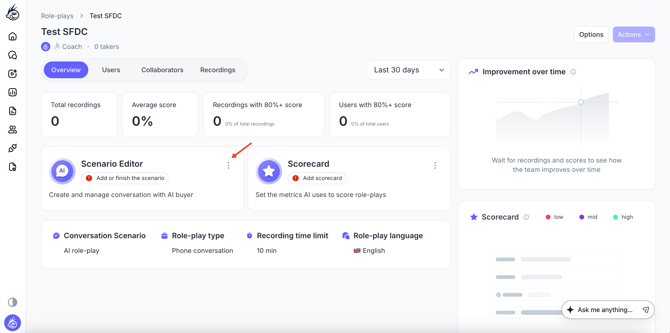
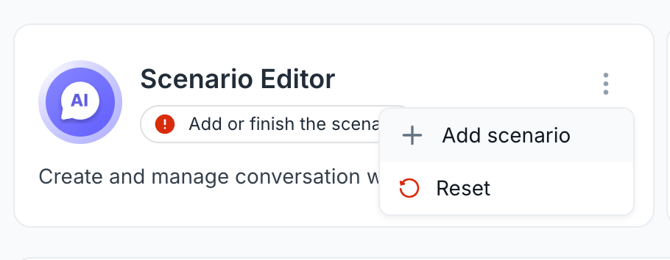
3. Choose Salesforce Opportunity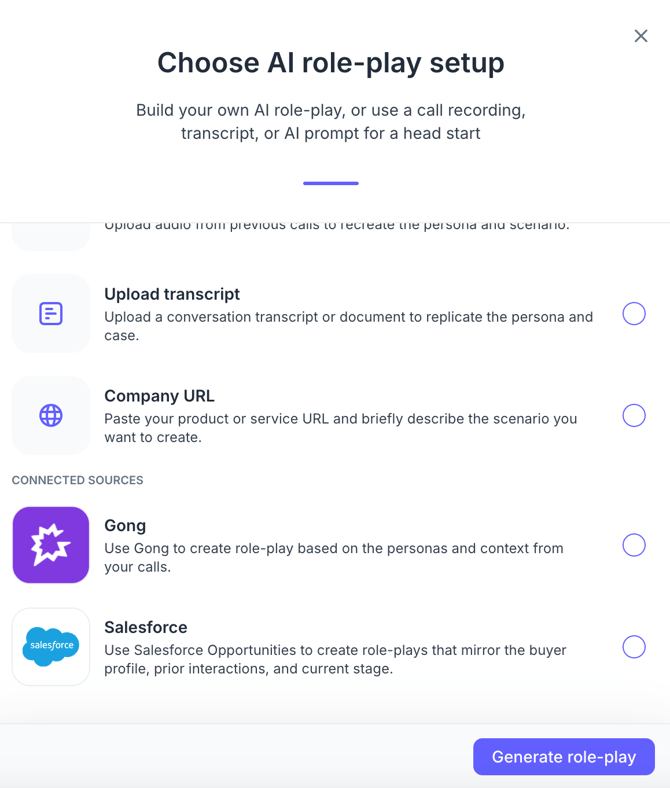
4. Paste the Opportunity link from Salesforce. Click Generate.
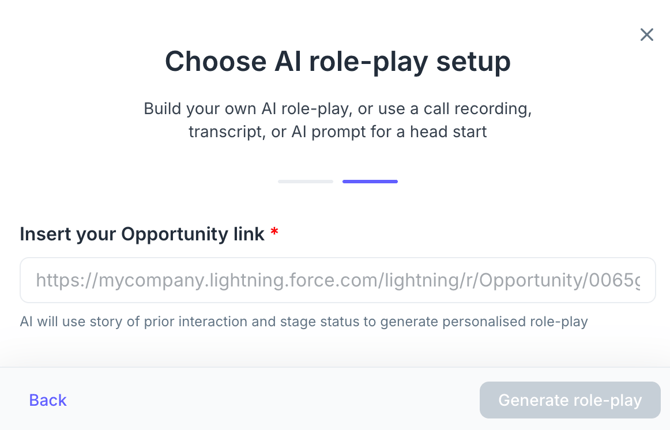
PitchMonster will pull all available details and build a complete role-play scenario.
The generated role-play will include:
-
Persona and company context
-
Trigger event / reason for outreach
-
Pain points and goals
-
Big-picture summary
-
Conversation steps
-
Realistic objections based on data pulled
-
Suggested starting phrases
-
Overall scenario structure
It’s designed for two main use cases:
-
Rehearsing before a real sales call
-
Analyzing a struggling point by practicing the scenario
Limitations (Temporary)
At this stage:
-
Scoring is not generated from Salesforce-based role-plays.
-
More Salesforce analytics features will be added in future updates.